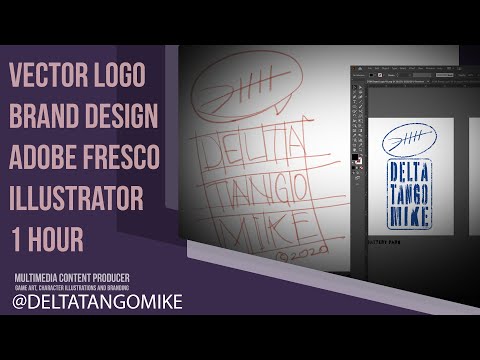
Learn Adobe Illustrator for logo design and brand identity design in this full beginner course.
In this lesson from the Free Brand Identity Design Course, you’ll learn the essential Adobe Illustrator tools and workflows used to create logos, brand marks, typography, shapes, color palettes, patterns, and visual identity elements. This course is designed for beginner brand designers, graphic designers, freelancers, entrepreneurs, small business owners, and anyone who wants to use Adobe Illustrator for logo design and branding.
Instead of learning random tools without context, this video focuses on the Illustrator tools that are most useful for brand identity design. You’ll learn how to set up your workspace, use artboards, build logos with shapes, use the Shape Builder Tool and Pathfinder, draw with the Pen Tool, customize typography, apply color, use clipping masks, work with compound paths, create brushes, build complex shapes, and save/export your files properly.
By the end of this video, you’ll have a stronger understanding of how Adobe Illustrator works and how to use it more confidently for logo design and visual identity projects.
Chapters:
00:00 Introduction
01:27 Interface
06:06 Artboards
08:48 Shape Tools
13:19 Other Shapes
18:28 Shape Builder and Pathfinder
27:41 Adobe Illustrator and Pen Tool
40:09 More Pen Tool
54:54 Line Tool and More
01:00:51 Pencil Tool
01:14:30 Type Tool
01:18:31 Type Warping
01:23:04 Type on a Path
01:28:37 Skewing Type
01:30:27 Align and Distribute
01:33:27 Color
01:39:35 Clipping Masks
01:43:07 Compound Paths
01:44:54 Brushes
01:48:34 Complex Shapes
01:54:57 Shape Practice
01:59:53 Color Practice
02:05:20 Saving Files
In this video, you’ll learn:
- How to use Adobe Illustrator for logo design
- How to set up your workspace and artboards
- How to use basic shape tools
- How to build logos with shapes
- How to use the Shape Builder Tool and Pathfinder
- How to use the Pen Tool for clean vector shapes
- How to use the Line Tool and Pencil Tool
- How to use typography tools in Illustrator
- How to warp, skew, and customize type
- How to use Type on a Path
- How to align and distribute objects
- How to apply brand colors in Illustrator
- How to use clipping masks and compound paths
- How to use brushes and create brand elements
- How to build complex logo shapes
- How to save and export logo files
This video is part of the Free Brand Identity Design Course for Beginners.
Watch the full playlist:
https://www.youtube.com/playlist?list=PLdHyNrkiFQPrQ2fl4VhirRYS1KpNhw_Le
Previous lesson:
https://youtu.be/l5aXS9TABy0
Next lesson:
Wordmark Logo Design Tutorial: https://youtu.be/Gr-1kXx_Ayo
Resources:
https://www.dropbox.com/scl/fo/cfcd9pmneks5imsg0qbqw/ACqeWPl7WtgBaN-O5T5BukY?rlkey=1fz2qpwf3u2ggmrv8j4ttdssb&st=2b0m42ru&dl=0
Adobe Illustrator keyboard shortcuts: https://helpx.adobe.com/illustrator/using/default-keyboard-shortcuts.html
Subscribe for more lessons on brand identity design, logo design, Adobe Illustrator, typography, color theory, brand strategy, and building a professional design portfolio.
#AdobeIllustrator #LogoDesign #BrandIdentity
❤️ SUPPORT 4 THE CREATIVES
Enjoying our free design education? You can help us create more free courses, tutorials, and resources by supporting 4 The Creatives.
Donate: https://4thecreatives.com/support