**QUICK SIDE NOTE: You can now BOOK A 1-ON-1 VIDEO CALL with me to get personalized advice on your website project.**
AND NOW, LET'S TALK ABOUT THIS CLASS
Would you like to learn WordPress and Elementor by building a real-world website for a restaurant?
Or, do you operate a restaurant and want to build a fully working website for the business? If your answer is YES, this class will show you how to do that without spending money on premium plugins.
We will be using free but high-quality WordPress plugins.
What to Expect
Throughout this course, we'll cover everything you need to know to build a comprehensive restaurant website.
You will start by learning how and where to buy web hosting and a domain name for your website.
With access to your newly bought hosting, you will install WordPress on the server allocated to you by your web host.
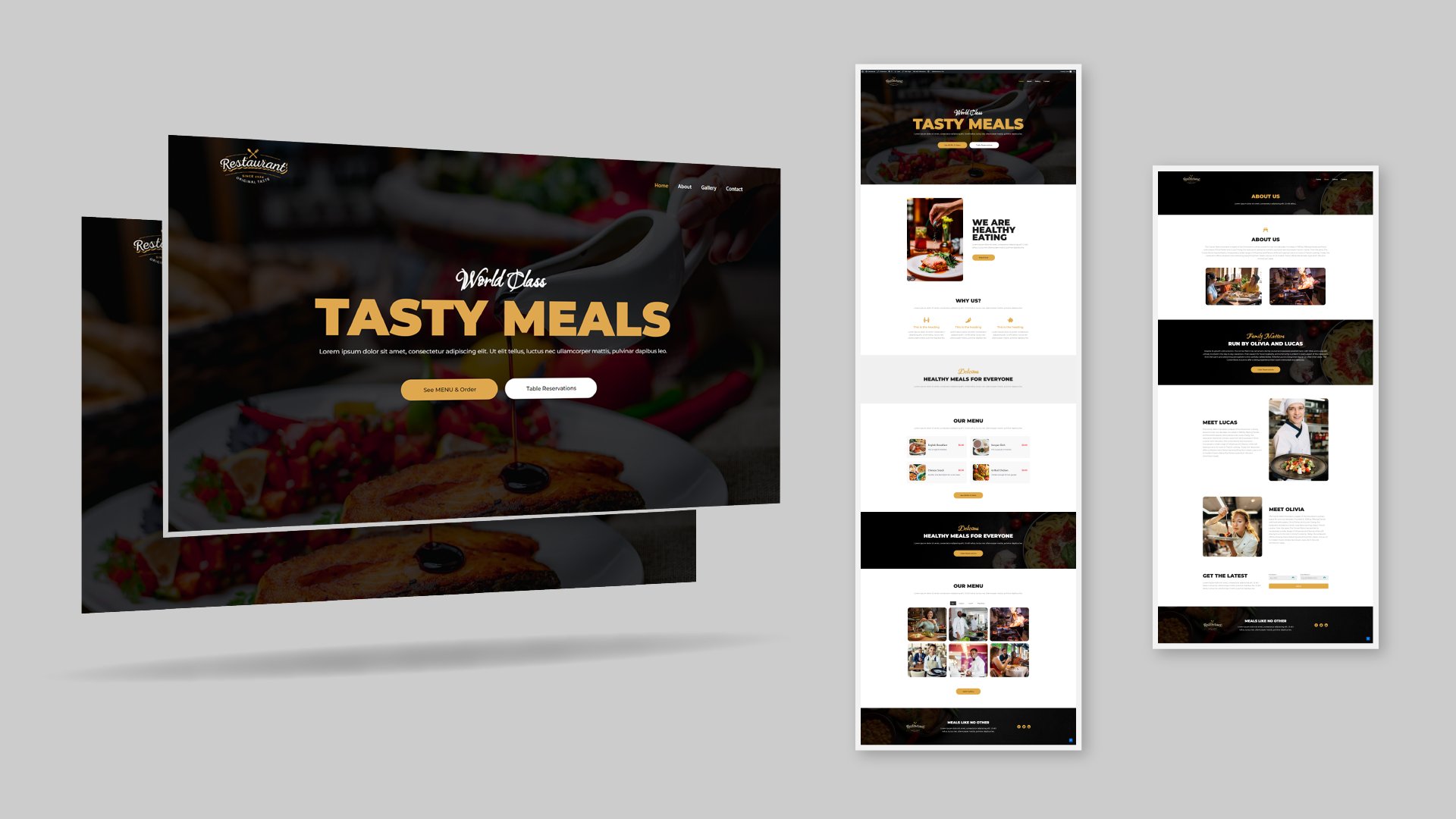
Once you've installed WordPress, I will show you how to install and use Elementor to craft beautiful web pages, including a beautiful Home page, an About page, a Gallery page, and a Contact page.
Since this is a real-world restaurant website, I'll show you how to incorporate a full-functioning Ordering and Reservations system so you can start taking orders immediately.
You will even integrate your website with a mobile phone app through which you will be receiving real-time alerts and accepting orders placed by customers on your website.
Hands-On Learning
This won't be a passive experience. We'll be diving into the practical aspects of the Elementor page builder plugin, and I'll guide you step-by-step as we bring your restaurant website to life.
By the end of this course, you'll have the skills to not only build a restaurant website but also use WordPress to build a wide array of websites.
In the class, you will be building the following pages
Home - A welcoming page introducing your restaurant, its menu, location, and atmosphere.
About - A page telling the story of your restaurant, including its history, mission, and any notable awards or recognition.
Ordering & Reservations System - A system allowing customers to place orders and make reservations on your website. The system will include a free smartphone app that sends you real-time alerts so you can accept or reject orders and reservations.
Gallery - A page featuring any images of your restaurant that you’d like to show. For example, your restaurant's interior with customers enjoying your food, staff serving customers, beautiful restaurant art, amenities, etc.
Contact - A page providing your restaurant's address, hours of operation, phone number, and contact form or email address.