12 hours
AI for Graphic Design
12 hours
A 12-hour generative AI course from Noble Desktop, taught live in New York or online.
BeginnerScheduledCertificate
Paid CourseView course
Generative AI
A paid course from Noble Desktop.
Two hundred and sixty-four hours on graphic design, with AI treated as part of the toolkit rather than as the subject.
The Adobe trio is covered in depth. Photoshop for retouching, compositing and layer work; Illustrator for vector drawing with the Pen tool, so logos and icons are constructed rather than traced; InDesign for brochures, magazines and other print-ready multi-page documents. Figma covers interface design and interactive prototypes.
Underneath all of it sit typography, colour theory, composition and grids — the parts that decide whether a piece reads, and the parts no tool supplies.
AI appears in two ways: as separate tools for ideation and image generation, and as the features now built into Creative Cloud for editing and repetitive work. The programme ends on a portfolio that includes live AI-powered design applications.
No reviews yet. Be the first to review this course.
12 hours
A 12-hour generative AI course from Noble Desktop, taught live in New York or online.
8 lessons, about 9 hours
8 sessions on growth hacking, about 9 hours in total, published on YouTube by Iacopo Livia. Watched here, lesson by lesson.
144 hours
A 144-hour UX and UI design certificate from Noble Desktop, taught live in New York or online, ending in a portfolio and a job-ready resume.
120 hours
A 120-hour UI design certificate from Noble Desktop covering Figma, Photoshop and Illustrator, taught live in New York or online.
420 hours
A 420-hour generative AI course from Noble Desktop, taught live in New York or online.
282 hours
A 282-hour generative AI course from Noble Desktop, taught live in New York or online.
1 lesson, about 12 hours
A single session on generative ai, about 12 hours, published on YouTube by Intellipaat. Watched here on the course page.
1 lesson, 23 minutes
A single session on generative ai, 23 minutes, published on YouTube by Google Cloud Tech. Watched here on the course page.
1 lesson, 18 minutes
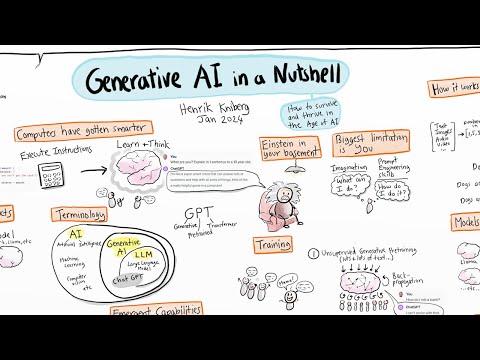
A single session on generative ai, 18 minutes, published on YouTube by Henrik Kniberg. Watched here on the course page.