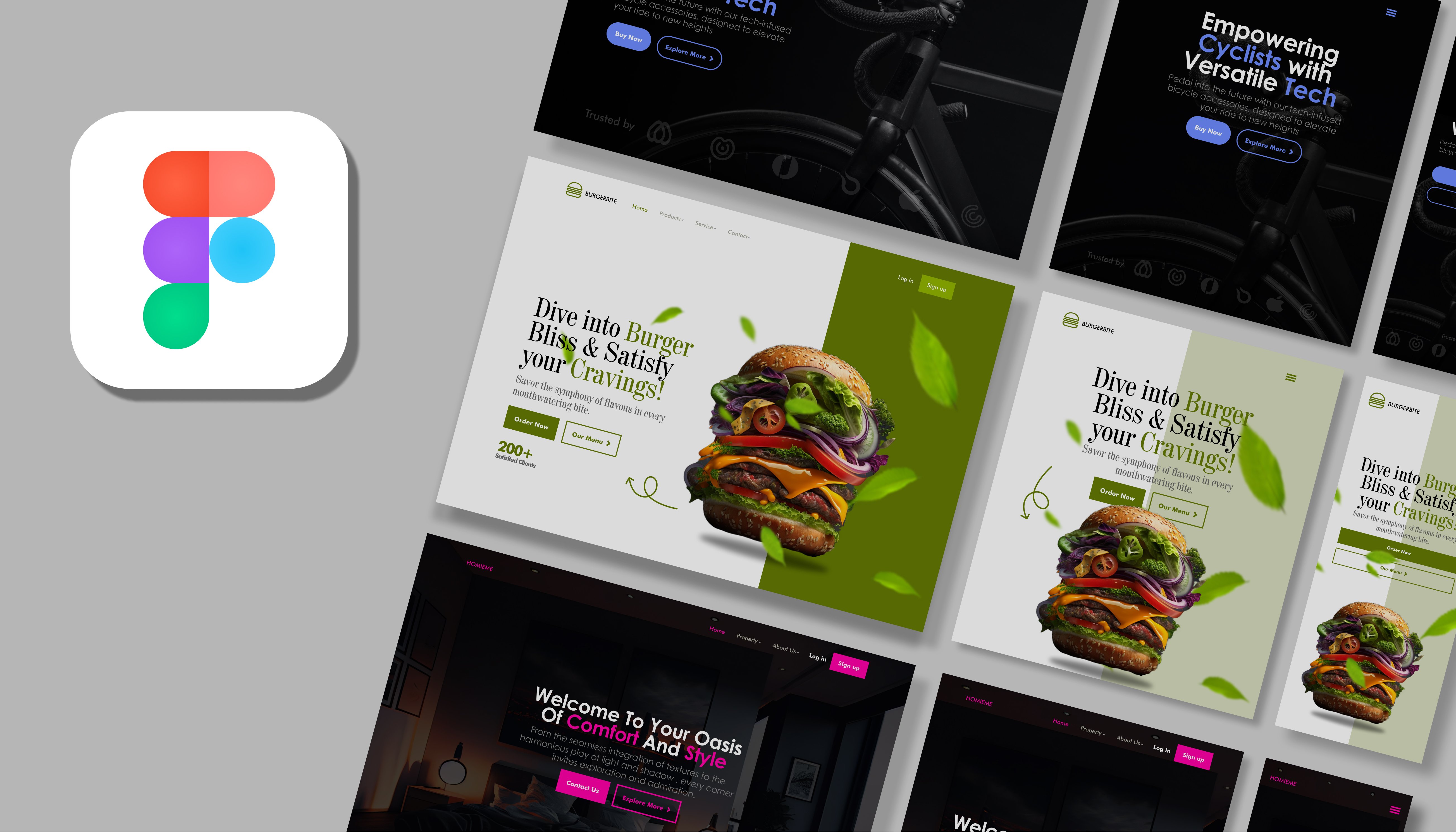
Do you want to learn how to use different techniques to Design and Create Professional, Unique and Modern Website Landing Page Hero Section with Prototype, Animation, Motion Design & Interaction both on Web and Mobile like a pro in Figma? This is the right course for you.
This course is exactly what you need and have been looking for. This comprehensive course will teach you all what you need to start your journey towards designing and creating best User Interface and User Experience with Prototype, Animation, Motion Design & Interaction in Figma. Whether you are just starting out on how to create and design in Figma, this course would help you speed up your progress.
This course is different form the other ones you’ll find on Udemy. Just wait and see, you’ll judge better for yourself!
I'll take you step-by-step through engaging video tutorials and teach you everything you need to know to succeed as an Figma expert in Hero Section Landing Pages Design.
The course includes over 6 hours of HD video tutorials and builds your User Interface and User Experience knowledge with fun projects.
What will you learn from this course?
- You'll learn how to build a professional Hero Section of a Brand's landing page in Figma
- You'll learn how to use the Figma Prototype & Animation
- You'll learn how to make Motion Design and make elements interact
- You'll learn how to make responsive designs for Web & Mobile as a UI/UX Designer
- You'll learn how to design for Web, Mobile & Tablet
- You'll learn Auto layout, Variables and Components in Figma
- You'll learn how to create simple wireframes in Figma
- You'll work with fonts & colors in Figma
- You'll learn the principles of User Interface Design
- You'll learn easy-to-tweak designs using re-usable components & styles in Figma
- You'll learn UI/UX best practices using the latest trends in the industry
- You'll learn the Figma fundamentals
- You'll learn how to use free UI kits & plugins in Figma
- You'll learn how to use shortcuts professionally in Figma
- You'll learn how to export in Figma
Why is this course different and special?
I teach you from beginners’ level to advanced level step by step
I teach you with fun projects for more understanding
I elaborate and emphasize more on difficult topics and areas
I gave you a downloadable resource file with exercise files and several fonts for you to follow along with me and enjoy the course
By the time you finish this course you will be able to design and create Professional, Unique and Modern Website Landing Page Hero Section with Prototype, Animation, Motion Design & Interaction both on Web and Mobile like a pro in Figma. You will be a Pro in your field and surpass your other colleagues because you have learnt more advanced techniques and methods of designing and creating a Hero Section Landing Page.
Feel free to ask me any questions.
I can’t wait to see you in the next lecture!
Go ahead and click the play button, and I'll see you in the next lecture
You are welcome
Enjoy!
Download the resource files: https://drive.google.com/drive/folders/1utuhs3oKunHGNmg6Yb9WtgTltTOV0Aeq?usp=drive_link