2h 25m

YouTube
Automotive Plastic Design Using CATIA V5 (Part1)
2 hours
11 lessons, 145 minutes in all, from YouTube.
Beginner
Free Online CourseView course
Figma
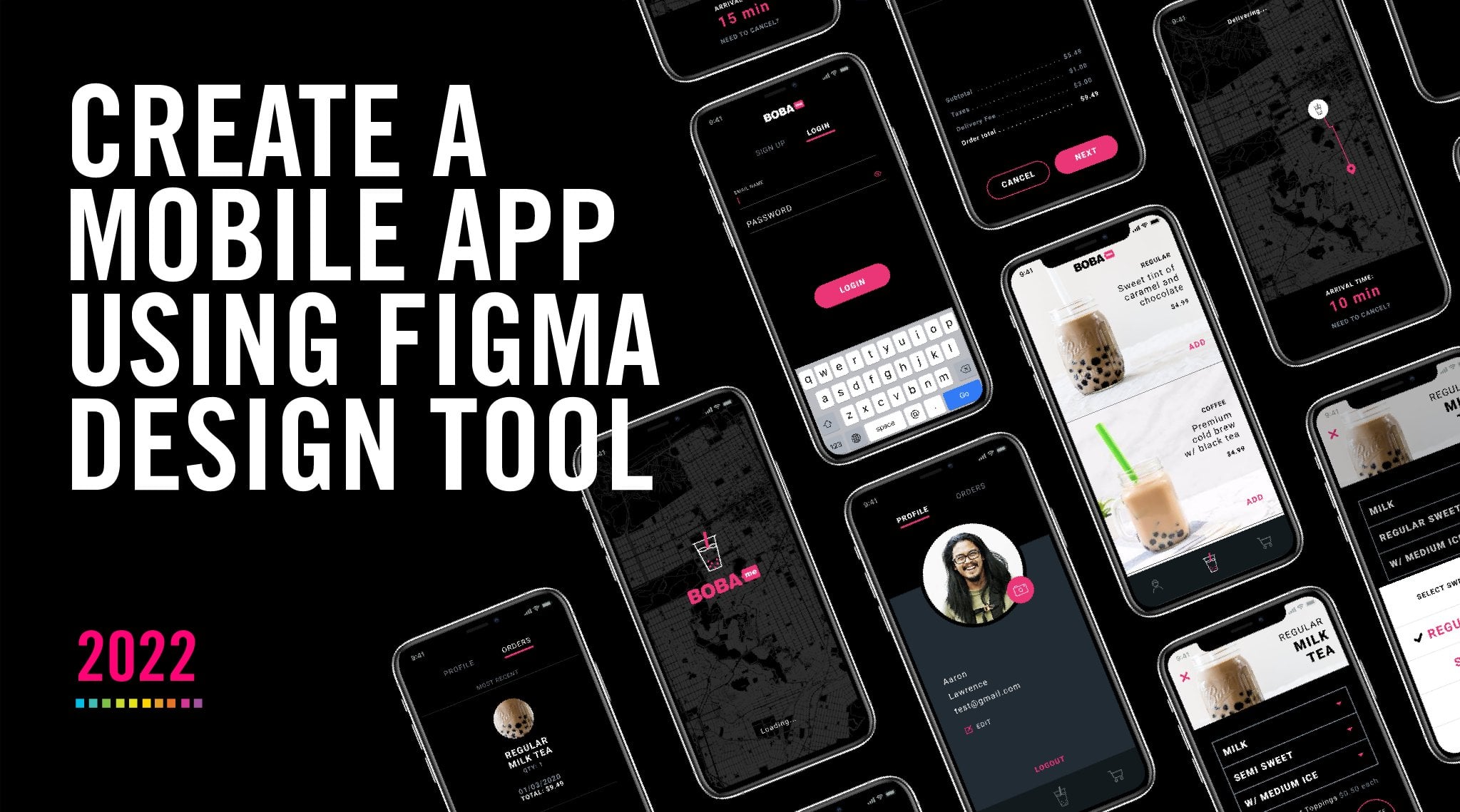
In this class I have created a figma file for you to download and I will walk you through step-by-step, how to create a fully-functional prototype using the design tool Figma. Here is the class agenda:
1. Intro to Figma design tool & file walkthrough 2. How to design a login & signup experience 3. How to design a shopping experience 4. How to design checkout experience 5. How to design profile & order history screens 6. How to create & use a component library 7. How to create & share a clickable prototype + smart animate and other transition effects 8. How to invite others & collaboration in figma 9. How to export UI assets & inspect code for engineering 10. Figma keyboard shortcuts 11. How to use figma plugins & GUI Kits 12. How to create comments & review comments in figma 13. Final thoughts & going forward
Bonus Videos (deeper dice into prototyping and intro to interactive component)
Bonus Video 1 - Dissolve, Delay, and Move-in & Move-out prototype features Bonus Videos 2 - Overlays, Modals, and Menu prototype features Bonus Videos 3 - Smart Animate, Builder a Loader, and Horizontal/Vertical scrolling Bonus Videos 4 - Scroll to Function, Component Variants, and Interactive Components
Aaron Lawrence
No reviews yet. Be the first to review this course.
2 hours
11 lessons, 145 minutes in all, from YouTube.
1 lesson, about 1.5 hours
A single ninety-minute session taking Figma from an empty file to a working interface: frames, components, auto layout and prototyping, aimed at somebody who has never opened it.
144 hours
A 144-hour UX and UI design certificate from Noble Desktop, taught live in New York or online, ending in a portfolio and a job-ready resume.
120 hours
A 120-hour UI design certificate from Noble Desktop covering Figma, Photoshop and Illustrator, taught live in New York or online.
420 hours
A 420-hour generative AI course from Noble Desktop, taught live in New York or online.
264 hours
A 264-hour generative AI course from Noble Desktop, taught live in New York or online.
1 lesson, about 1.5 hours
A single ninety-minute session taking Figma from an empty file to a working interface: frames, components, auto layout and prototyping, aimed at somebody who has never opened it.
7 lessons, about 1 hour
A 7-lesson playlist on UX/UI design, 54 minutes, published on YouTube by Figma. Watched here on the course page.
9 hours
Hi there - my name is Dan Scott & welcome to Figma Essentials. Together - you and me - are going to learn everything you need to get started working as a UX Designer using Figma. We’ll use this UI UX design tool to create beautiful User Interfaces and engaging prototypes. Most importantly... we'...
1 hour
Development of advanced techniques in Illustrator and Photoshop is the focus of this course, with the goal of helping you increase your proficiency with vector brushes and pattern design. You will craft a gorgeous floral line-art which can be finished in oh-so-many ways! In this course you will lear...
24 minutes
Transform humble materials into luxurious fabrics through the craft of natural dyeing! This wonderful art combines textile design with sustainable living. Using food materials you can find in your kitchen, we'll brew three lovely colors from scratch: Pale pink from avocado pits Golden yellow from on...
23 minutes
Give your denim a new lease of life by creating something totally original. With fabric painting, you are the artist and the textile designer! In this class we will cover the basic of fabric painting, learn what materials to use and discuss the best practice while working towards creating your weara...
Subscription