2h 25m

YouTube
Automotive Plastic Design Using CATIA V5 (Part1)
2 hours
11 lessons, 145 minutes in all, from YouTube.
Beginner
Free Online CourseView course
Figma
About this class
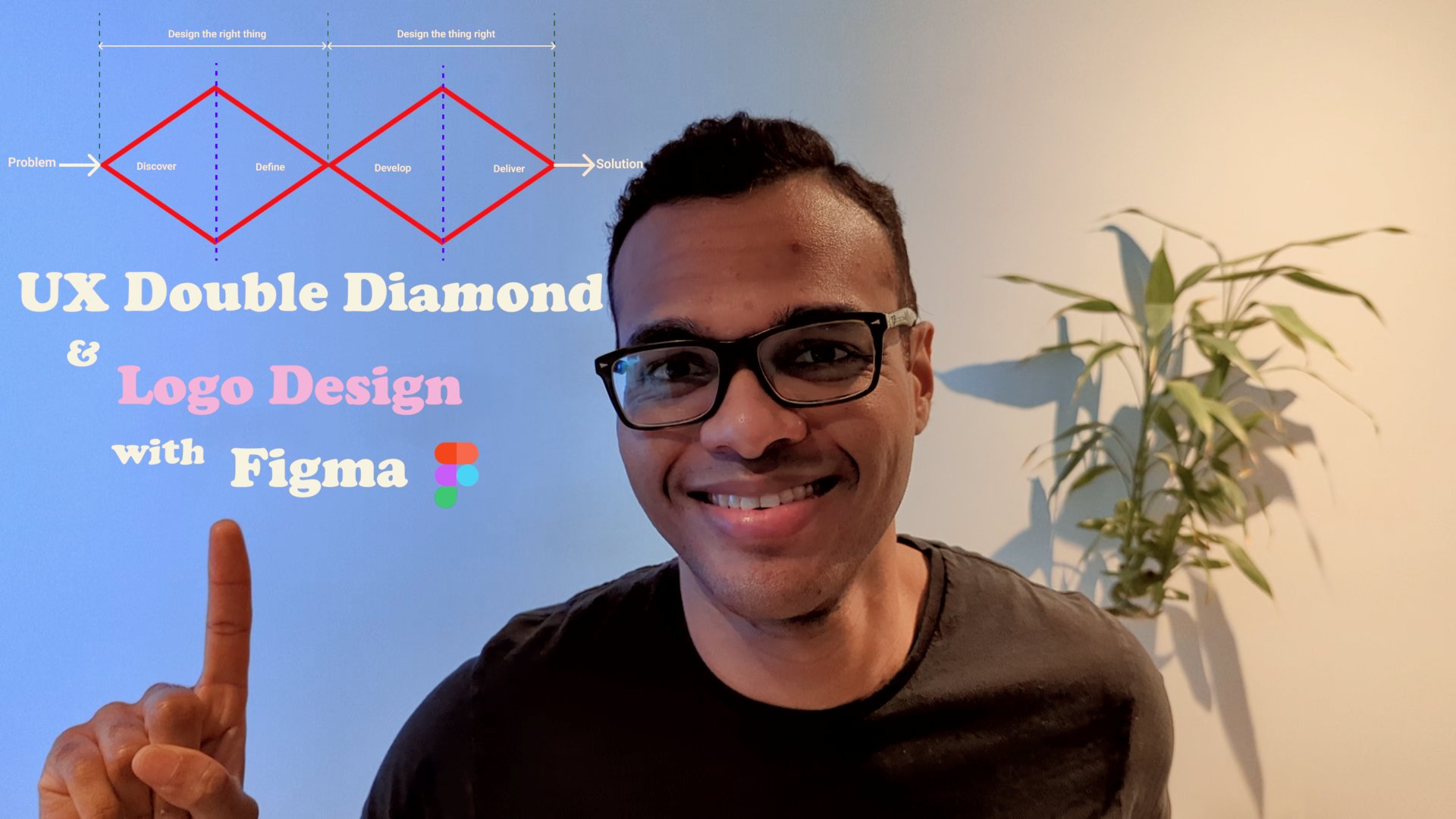
In this class, you’ll learn about and use the problem solving framework known as the UX Double Diamond to
- find inspirations for a logo, - generate ideas for your logo, - and finally come up with your very own logo design and colour pallet to polish your final design.
Using a free tier account of the design software Figma, we’ll walk through the step by step approach of how you can come up with a logo for your business, team, product, brand etc.
Who this class is for
- If you’d like to learn about a problem solving framework.
- If you’d like to learn about the design software Figma.
- If you are a Figma Beginner.
- If you are a beginner UX designer.
- If you’d like to work in Tech Product Companies.
- If you’re an aspiring Product Manager, Product Owner or Business analyst
- if you would like to work in digital
- if you’re studying Design, Engineering or IT
Then, this class is for you
What you will learn - the specifics.
Have you ever faced a problem(s) and were unsure or overwhelm about how to come up with a solution and would like a systematic way of getting from problem to solution for any sort of problems in the future.
In this class you will be learning about The UX double diamond: a problem solving framework.
- You will then be able to use this framework to systematically guide you each time you have a problem you’d like to find a solution for. - It will show you how widening your search space at the beginning to research the problem space helps you get a better understanding and perspective of the problem you’re trying to solve. - Then show you how to zone in on a solution by converging on insights and going specific to start taking focused actions. - You’ll then use the free tier account of the design software Figma, with the help of the newly learnt UX Double Diamond framework to design your very own logo, come up with a colour pallet and polish your final logo design as this class’ project.
Who am I?
My name is Olivier - I’m a Product Manager for a Digital Product Company down in Melbourne, Australia. Where I work, we have 8 million active members and we use the UX Double Diamond framework, with other frameworks and processes, to come up with solutions that will best meet our members needs.
Feedback
I really want to make these courses as useful as they can be. If you identify any areas that would benefit from being clearer or if you’d like me to create a course around a particular topic please do email me and let me know. I'd love to hear from you :)
Olivier
No reviews yet. Be the first to review this course.
2 hours
11 lessons, 145 minutes in all, from YouTube.
1 lesson, about 1.5 hours
A single ninety-minute session taking Figma from an empty file to a working interface: frames, components, auto layout and prototyping, aimed at somebody who has never opened it.
144 hours
A 144-hour UX and UI design certificate from Noble Desktop, taught live in New York or online, ending in a portfolio and a job-ready resume.
120 hours
A 120-hour UI design certificate from Noble Desktop covering Figma, Photoshop and Illustrator, taught live in New York or online.
420 hours
A 420-hour generative AI course from Noble Desktop, taught live in New York or online.
264 hours
A 264-hour generative AI course from Noble Desktop, taught live in New York or online.
1 lesson, about 1.5 hours
A single ninety-minute session taking Figma from an empty file to a working interface: frames, components, auto layout and prototyping, aimed at somebody who has never opened it.
7 lessons, about 1 hour
A 7-lesson playlist on UX/UI design, 54 minutes, published on YouTube by Figma. Watched here on the course page.
9 hours
Hi there - my name is Dan Scott & welcome to Figma Essentials. Together - you and me - are going to learn everything you need to get started working as a UX Designer using Figma. We’ll use this UI UX design tool to create beautiful User Interfaces and engaging prototypes. Most importantly... we'...
1 hour
Development of advanced techniques in Illustrator and Photoshop is the focus of this course, with the goal of helping you increase your proficiency with vector brushes and pattern design. You will craft a gorgeous floral line-art which can be finished in oh-so-many ways! In this course you will lear...
24 minutes
Transform humble materials into luxurious fabrics through the craft of natural dyeing! This wonderful art combines textile design with sustainable living. Using food materials you can find in your kitchen, we'll brew three lovely colors from scratch: Pale pink from avocado pits Golden yellow from on...
23 minutes
Give your denim a new lease of life by creating something totally original. With fabric painting, you are the artist and the textile designer! In this class we will cover the basic of fabric painting, learn what materials to use and discuss the best practice while working towards creating your weara...
Subscription