144 hours

UX & UI Design Certificate
144 hours
A 144-hour UX and UI design certificate from Noble Desktop, taught live in New York or online, ending in a portfolio and a job-ready resume.
BeginnerScheduledCertificate
Paid CourseView course
Textile Design
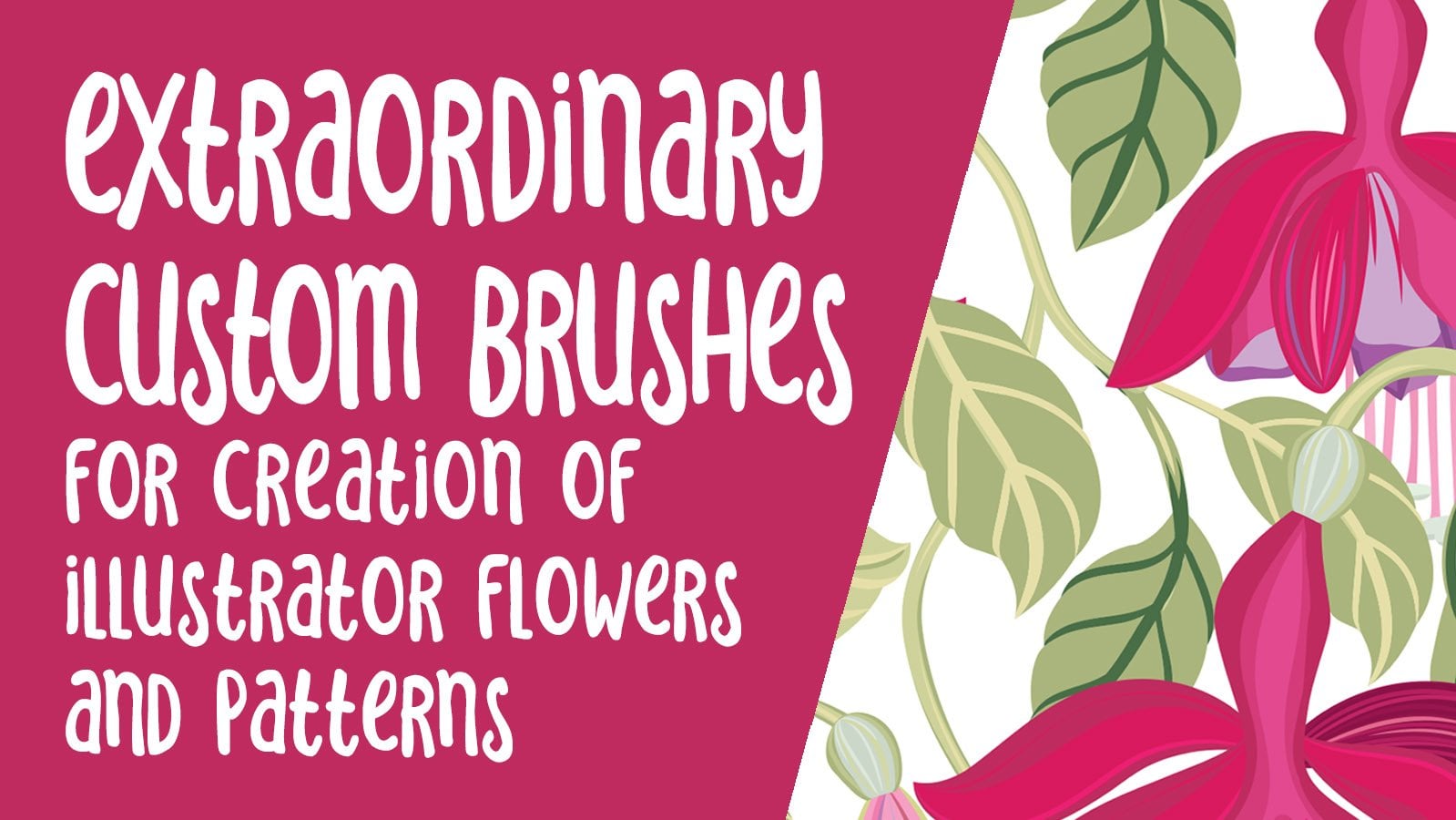
In this class, Extraordinary Brushes, you will be guided step-by-step through the process of producing an intricate repeating fuchsia pattern design, from initial brush creation and composition of the design to creation of the final pattern tile. In this class, you will learn how to thoroughly use the potential of Adobe Illustrator custom brushes. Our brushes will include leaves, petals and stems that can be manipulated infinitely, and it will look like you created hundreds of brushes, when in reality you are producing just a small number of them. These brushes are an investment: they can be added to other brush sets in the future, and you can use them to make many more designs than the one you create today! Using these extraordinary brushes in layers, you can see the design truly materialize into a charming botanical composition.
This Extraordinary Brushes class is tailored towards designers with some knowledge of Adobe Illustrator and basic brush creation who want to learn additional techniques, though basic brush construction is covered. For those wanting detailed introductory lessons or a refresher first, please check out my earlier classes such as Fake a Watercolor, Part 1, or Textural Floral Pattern Design.
Please Note: The Adobe Textile Designer Plugin has been de-commisioned by Adobe, so you will be unable to download it for free as stated (by joining the beta program). Please ignore any reference to it. There is much to be learned in this class without the use of this plugin, so don't worry!
For this class, you will need the Illustrator and Photoshop software. If you are the type of artist who likes to start your projects by drawing to roughly plan your project, you’ll also need some very basic tools like plain paper and a pencil and phone or scanner to get your work into the computer. I’m pumped to show you how to sprout your fuchsia design, so let’s get you started!
The verbal guidance and demonstrations will help you learn all the necessary core skills that can be applied to so many of your future designs. Whether you are new to surface pattern design, or an accomplished designer, you are sure to learn something new.
The beauty of this course is you can pick JUST the lessons you need, so you can skip concepts you have learned previously. In this class we will go through specific concepts in 11 lessons that cover:
- Using tools and brushes in Illustrator for creating more complex art brushes. - Creating a pattern tile in Illustrator and ensuring the repeat works. - Exporting these different colorways and creating proof sheets
You will get the bonus of…
- around 120 minutes of direction from an instructor who has been in the graphic design business and education business for over 40 years - knowledge of multiple ways to solve each design challenge - A FREE brush set to play with in creating your pattern in Illustrator. - A project sheet with step-by-step written instructions to create your first textured pattern successfully. - a list of helpful online sites to further your education into surface pattern design.
Upon conclusion of my class, I encourage you to create this project and try out my methods. Feel free to participate in the free guidance I offer while sharing in the projects section. Get involved in the process and benefit from the constructive advice and support of fellow artists! Whether you are new to surface pattern design or an accomplished master, learning to make extraordinary brushes is another one of the “must-have know-hows”. So, let’s get the ball rolling! Start the Extraordinary Illustrator Brushes Class NOW!
Overview:
Lesson 1
In Lesson 1 we will talk about inspiration and reference and how to set up your workspace in Adobe Illustrator. We will also set up color swatches using a reference photo.
Lesson 2
This unit focuses on extraordinary brush strokes, an overview on how to create them, and how to adjust variables and stay organized. Brushes will be developed in this lesson to help review brush construction.
Lesson 3
You will now get the opportunity to create an extraordinary petal and you will use a bunch of techniques to create highlights and shadows on your brush.
Lesson 4
We take a break from Illustrator here and use Photoshop to help prepare our rough sketch for use as a template for our pattern repeat in Illustrator.
Lesson 5
We explore alternate methods for creating highlights and shadows that have you exploring the blob brush, the eraser tool, as well as transparency and blending modes.
Lesson 6
We will go into greater detail here on construction of the brushes. Also, the power of layers is explained as we discuss composition.
Lesson 7
In this lesson, we will start constructing the compound brush shape that will become our first leaves.
Lesson 8
We work more on our leaves here and learn a few other techniques including the super-fun puppet warp tool. Next, learn how to make this tile into a perfect repeating grid pattern.
Lesson 9
This unit focuses on all the other little brushes we need and we begin to explore the layout of the pattern swatch itself.
Lesson 10
Testing and finalizing our tile is the focus of this unit, and it is so much fun and so very satisfying!
Lesson 11 has been removed for reasons which are not in my control: The Adobe Textile Designer Plugin has been de-commisioned by Adobe, so you will be unable to download it for free as earlier stated (by joining the beta program).
Concepts covered in this course: pattern design fundamentals, Illustrator brushes, puppet warp in Illustrator, blob brush, eraser tool, calligraphy brushes, Photoshop, Illustrator pattern design, Adobe Textile Designer, Adobe Textile Designer colorways, surface pattern design, mockups, mockup design and production in Photoshop
Delores Naskrent
No reviews yet. Be the first to review this course.
144 hours
A 144-hour UX and UI design certificate from Noble Desktop, taught live in New York or online, ending in a portfolio and a job-ready resume.
120 hours
A 120-hour UI design certificate from Noble Desktop covering Figma, Photoshop and Illustrator, taught live in New York or online.
420 hours
A 420-hour generative AI course from Noble Desktop, taught live in New York or online.
264 hours
A 264-hour generative AI course from Noble Desktop, taught live in New York or online.
282 hours
A 282-hour generative AI course from Noble Desktop, taught live in New York or online.
12 hours
A 12-hour generative AI course from Noble Desktop, taught live in New York or online.
37 minutes
Hey there! Thanks for your interest in Repeat Textural Backgrounds for Pattern Design Swatches. A seamless pattern is an image that can be placed side-by-side with copies of itself. Ideally, there are no visible seams, so you can repeat this image and create a pattern that can go on infinitely to cr...
2 hours
Have you been curious about the super cool surface pattern design field? What about textile design - are they the same? Let me share with you everything you need to get started in surface design, from pattern categories and layouts to supplies and all the income possibilities! What You Will Learn ho...
45 minutes
In this class, learn how to properly display your surface pattern design or textile design portfolio. A pattern portfolio includes 4 major components: To be designed in collections To include mock ups Building a physical portfolio Building a portfolio website If your goal is to land a textile design...
1 hour
Development of advanced techniques in Illustrator and Photoshop is the focus of this course, with the goal of helping you increase your proficiency with vector brushes and pattern design. You will craft a gorgeous floral line-art which can be finished in oh-so-many ways! In this course you will lear...
24 minutes
Transform humble materials into luxurious fabrics through the craft of natural dyeing! This wonderful art combines textile design with sustainable living. Using food materials you can find in your kitchen, we'll brew three lovely colors from scratch: Pale pink from avocado pits Golden yellow from on...
23 minutes
Give your denim a new lease of life by creating something totally original. With fabric painting, you are the artist and the textile designer! In this class we will cover the basic of fabric painting, learn what materials to use and discuss the best practice while working towards creating your weara...
Subscription